Blog
Why Choose a Fanless Industrial Computer?
Teguar Editorial Team · June 22, 2026
The fan is one of the few moving parts in a computer, and in an industrial setting it is often the first thing to fail — clogging with dust, seizing, or pulling contaminants across the electronics. Fanless industrial computers remove it entirely, cooling through the chassis itself. This paper explains how passive cooling works, the real reliability and cleanliness benefits, the genuine trade-offs, and how to specify a fanless system that won't overheat.
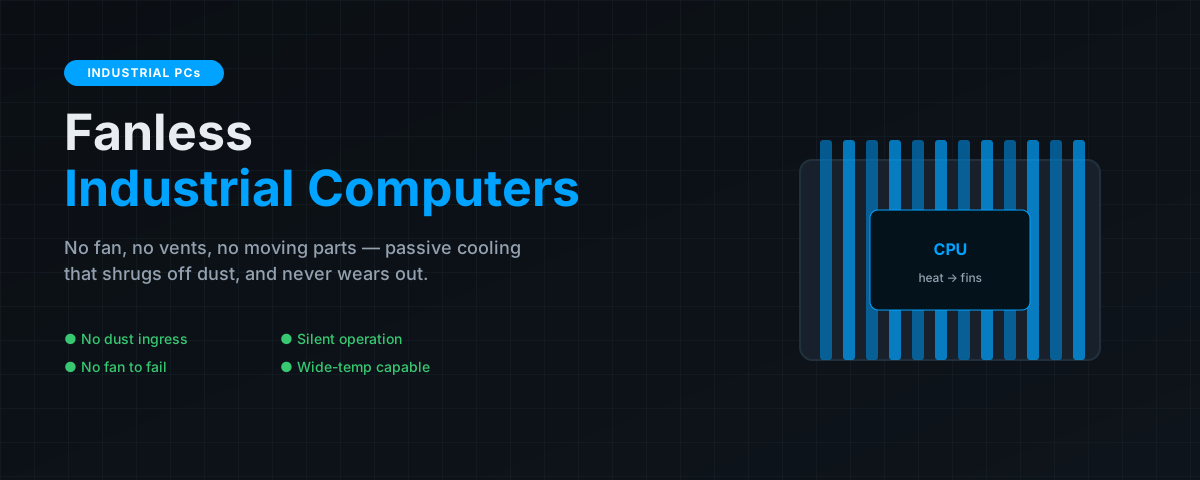
Reliability engineering has a simple heuristic: the fewer moving parts, the fewer things that wear out. In a computer, the fan and the spinning hard disk are the two classic moving parts, and industrial designs have largely eliminated both — solid-state storage replaced the disk, and passive cooling replaces the fan. The payoff is a computer that keeps running in dust, heat and vibration that would choke or kill a conventional machine.
Key takeaways
- A fanless computer cools passively, conducting heat from the CPU into the metal chassis and heat-sink fins that radiate it away — no fan, no vents.
- Removing the fan removes the most failure-prone moving part and the vents that let dust in, which is why fanless designs dominate harsh-environment computing.
- Benefits: higher reliability and MTBF, dust/contaminant sealing, silent operation, and wide-temperature capability.
- Trade-offs: a fixed thermal budget caps sustained high-power performance, so the chassis must be sized to the workload and given clearance.
How passive cooling works
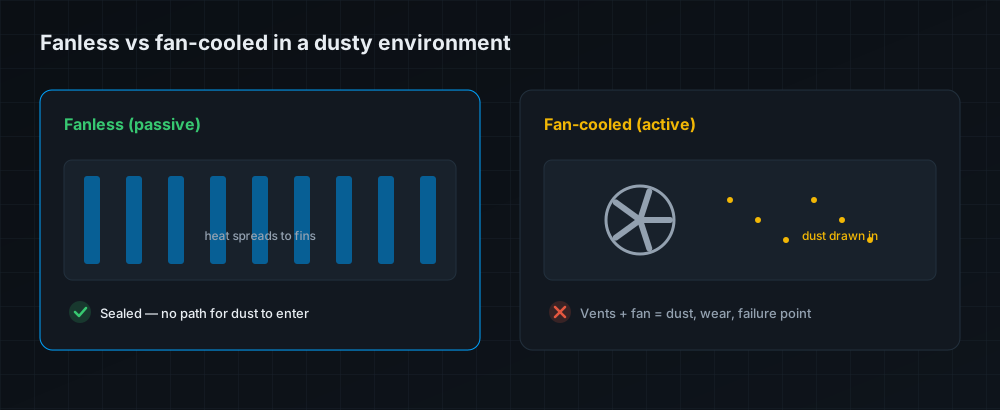
In a fanned computer, a fan forces air across a heat sink to carry heat away. A fanless computer instead uses the entire chassis as its heat sink: heat is conducted from the CPU through a thermal path (heat pipes or a solid block) into the metal enclosure and its external fins, which then shed the heat to the surrounding air by passive convection and radiation. There is no fan and, crucially, no ventilation opening anywhere in the case.
Why it matters: the benefits
Higher reliability
The fan is a mechanical component with bearings that wear and blades that seize; it is one of the highest-failure-rate parts in a computer. Removing it directly raises mean time between failures and eliminates a common, disruptive service call. For equipment embedded in a machine or mounted in a remote cabinet, that reliability is the whole point.
Dust and contaminant sealing
No fan means no vents, and no vents means nothing to draw dust, moisture, oil mist or fibres into the electronics. A sealed fanless chassis can carry a meaningful IP rating and survive environments — machine shops, food plants, textile mills — where a vented PC clogs and cooks itself within months.
Silent operation
Fanless computers make no noise at all, which matters at a bedside, in a control room, in a kiosk, or anywhere a fan's whine would be intrusive.
Wide-temperature capability
Because they don't depend on a fan whose bearings degrade at temperature extremes, well-designed fanless systems are readily engineered for wide operating ranges (commonly −20 to 60 °C and beyond), making them suited to unconditioned spaces and outdoor enclosures.
A fan doesn't just risk failing — its vents are an open door for the exact contaminants that kill electronics. Sealing the case is often as valuable as removing the moving part.
The trade-offs, honestly
Passive cooling has a ceiling. A chassis can only shed so much heat, so a fanless computer operates within a fixed thermal budget. That's ample for the efficient CPUs and workloads most industrial applications need, but it does mean sustained, very high-power compute (a top-end discrete GPU running flat-out, say) can exceed what a compact passive chassis can dissipate — which is why high-power rugged AI systems use large, carefully engineered thermal solutions rather than a small sealed box. The practical implications:
- Size the chassis to the workload. Match the processor's thermal design power to the enclosure's dissipation capability, with headroom for your maximum ambient temperature.
- Give it clearance. The fins need surrounding air to convect into; burying a fanless PC in a tight, unventilated pocket defeats the design.
- Mind mounting orientation. Follow the vendor's guidance so the fins convect effectively.
Where fanless is the obvious choice
Fanless design is the default for industrial box PCs in dusty or dirty environments, medical computers that must stay clean and silent, DIN-rail cabinet computers, digital signage and kiosks, and any remote or embedded deployment where a service visit is expensive. Wherever the environment is harsh or a fan failure is costly, fanless wins.
The bottom line
A fanless industrial computer trades a small, well-understood performance ceiling for a large gain in reliability, cleanliness, silence and temperature tolerance — by deleting the most failure-prone moving part and the vents that let the environment in. For the efficient workloads most industrial and medical applications run, that trade is almost always worth making; the only discipline required is sizing the chassis to the processor and giving it room to breathe. Learn more in our fanless computers explained guide, and browse fanless box PCs such as the TB-4845-DIN.
Frequently asked questions
How does a fanless computer stay cool?
It conducts heat from the CPU through a thermal path into the metal chassis and external fins, which shed it to the air by passive convection and radiation — no fan and no vents required.
Are fanless computers more reliable?
Yes. Removing the fan eliminates the most failure-prone moving part, and sealing the case (no vents) keeps out the dust and contaminants that kill electronics — both raise reliability and MTBF.
What's the downside of fanless cooling?
A fixed thermal budget. A passive chassis can only dissipate so much heat, so sustained very high-power compute may exceed a small sealed design. Match the chassis to the workload and give it clearance.
Can fanless computers run in hot environments?
Well-designed ones are rated for wide temperature ranges (commonly −20 to 60 °C or more) precisely because they don't rely on a fan whose bearings degrade at extremes — but you must allow headroom above your maximum ambient.
Do fanless PCs need ventilation clearance?
Yes. The fins need surrounding air to convect into. Don't bury a fanless computer in a tight sealed pocket, and follow the vendor's mounting-orientation guidance.