Blog
How to Choose the Right Industrial Panel PC Size (7" to 24")
Teguar Editorial Team · July 4, 2026
Industrial panel PCs run from about 7 to 24 inches, and choosing well is less about preference than about ergonomics. The right size is driven by how far the operator stands, what they need to read, and whether they're wearing gloves. This guide turns those factors into a simple, repeatable sizing method — then covers the environmental and mounting details that finalise the spec.
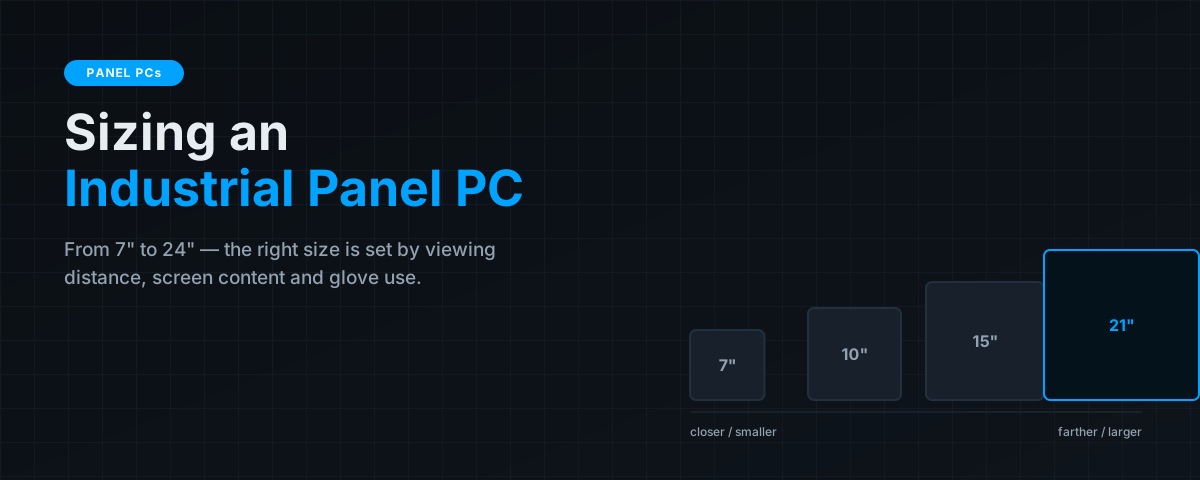
A panel PC that's too small forces operators to lean in and squint, slows them down and invites errors; one that's too large wastes cabinet space, costs more than it needs to, and can be physically awkward to mount on a machine. Between those failure modes is a comfortable band that's surprisingly easy to find once you size in the right order: viewing distance first, then content, then gloves, then everything else. Get that sequence right and the display almost chooses itself.
Key takeaways
- Size is set primarily by viewing distance: ~7–10" up close, 12–15" at about a metre, 15"+ for standing operators 1.5–3 m away.
- Dense HMI/SCADA screens with trends and alarms need more area than a simple start/stop panel — content density pushes size up.
- Gloves demand larger touch targets (a common guideline is ~12 mm minimum), which limits how much fits on a small screen.
- Only after size is fixed should you lock in IP rating, brightness and mounting method.
Start with viewing distance
The first and most important question is how far the operator's eyes are from the screen in normal use. Legibility scales with distance, so this single factor sets the baseline size before anything else.
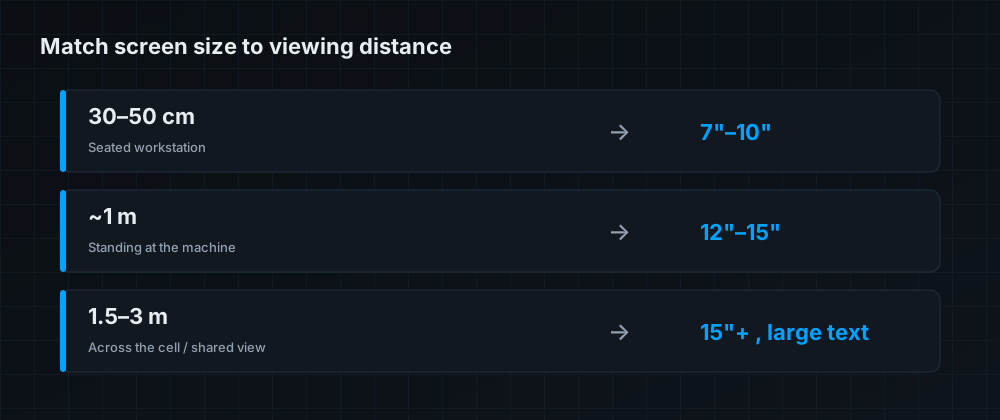
As a working guide: at 30–50 cm — a seated workstation or a bench where the operator is right on top of the screen — a 7 to 10 inch display is perfectly legible. At around 1 metre — standing at a machine — you want 12 to 15 inches. For operators working 1.5 to 3 metres away, or where several people read the same screen at once (a shared cell or a line-side status display), choose 15 inches or larger and design the HMI with large on-screen text. When in doubt, size up: the cost difference between adjacent sizes is small next to the cost of an operator misreading an alarm.
Content density
Two screens viewed from the same distance can still need different sizes if one is far busier than the other. A simple start/stop/status panel puts little on screen and reads fine on a small display. A rich HMI or SCADA screen — live trends, alarm banners, multi-zone overviews, setpoint grids — packs far more information into the same glass, and cramming it onto a small panel produces tiny, error-prone touch targets and text. If your interface is information-dense, treat that as a reason to move up a size (or two) beyond what viewing distance alone would suggest.
Gloves and touch targets
Industrial operators frequently wear gloves, and gloves dramatically change the minimum usable button size. A bare fingertip resolves a small target; a gloved one does not. A widely used guideline puts the minimum touch-target at roughly 12 mm per button for reliable gloved use, and that hard physical floor caps how many controls you can place on a given touchscreen. If your operators wear gloves and your screen needs many controls, the arithmetic pushes you toward a larger panel — there is no way around it. It's also worth confirming the touchscreen technology supports gloved use (projected-capacitive with a glove mode, or resistive) as part of the same decision.
The size ladder, at a glance
| Size | Typical viewing distance | Best-fit role |
|---|---|---|
| 7"–10" | 30–50 cm | Bench stations, compact machine HMIs, handheld-style panels, space-constrained cabinets |
| 12"–15" | ~1 m | The workhorse range — most machine-control HMIs and standing operator stations |
| 17"–19" | 1–1.5 m | Data-dense HMI/SCADA, recipe and batch screens, supervisory stations |
| 21"–24" | 1.5–3 m | Shared line-side displays, control rooms, multi-operator or at-a-glance status |
The 12–15" band is the most common choice for a reason: it suits the typical one-metre standing operator and comfortably holds a moderately dense HMI. Start there and adjust up for distance, density or gloves, or down for tight spaces and simple interfaces.
Then confirm the rest of the spec
Once size is settled, finalise the details that make the panel fit its environment:
- Environmental rating — IP65 on the front bezel for general floors; up to IP69K stainless for washdown areas. (See our companion piece on choosing a washdown rating.)
- Brightness — standard ~250–400 nits indoors; high-bright 1000+ nits with optical bonding for sunlight or bright plant lighting to avoid washout and reflections.
- Mounting — panel/flush cut-out, VESA arm, or yoke; confirm the cut-out dimensions and depth against your cabinet or machine fascia early, as they constrain placement.
- Touch technology — projected-capacitive for durability and multi-touch (with glove mode if needed), resistive where heavy gloves or stylus use dominate.
The bottom line
Size an industrial panel PC in order: viewing distance sets the baseline, content density and glove use push it up, and only then do IP rating, brightness and mounting finalise the choice. For most machine-control stations the 12–15" range is the natural home; move to 7–10" for tight, up-close installs and to 17–24" for dense supervisory screens or shared line-side viewing. Follow that sequence and you'll land on a panel operators can read at a glance and drive accurately with gloves on. Our panel PC buying guide covers the full specification, the factory automation guide shows it in context, and you can browse industrial panel PCs across the full size range, such as the TP-7045-16.
Frequently asked questions
What size industrial panel PC do I need?
Match it to viewing distance: about 7–10" at 30–50 cm, 12–15" at roughly a metre, and 15"+ for standing operators 1.5–3 m away or shared displays. Then size up for dense screens or gloved use.
Does glove use affect the screen size I should choose?
Yes. Gloves require larger touch targets (a common guideline is ~12 mm minimum per button), which limits how many controls fit on a small screen and favours a larger panel for dense HMIs.
What is the most common industrial panel PC size?
12 to 15 inches. It suits the typical one-metre standing operator and holds a moderately dense HMI, making it the workhorse choice for most machine-control stations.
How does screen content affect sizing?
Information-dense HMI/SCADA screens with trends and alarms need more area than a simple start/stop panel. If your interface is busy, move up a size beyond what viewing distance alone suggests.
What else should I specify after size?
Environmental rating (IP65 front for general use, up to IP69K for washdown), brightness (high-bright for sunlight or bright lighting), mounting method and cut-out dimensions, and a touch technology that supports gloves if needed.