Blog
How to Build: Real-time Telehealth Care Dashboards with Python backends using Clarion TM-7200-24 Medical AIO PC
Teguar Engineering Team · June 3, 2026
An engineering guide showing how to implement real-time telehealth care dashboards with python backends on Teguar's purpose-built Clarion TM-7200-24 Medical AIO PC with full-stack development (react/python).
title: "How to Build: Real-time Telehealth Care Dashboards with Python backends using Clarion TM-7200-24 Medical AIO PC" date: "2026-07-07" category: "Full-Stack Development (React/Python)" tags: ["Clarion TM-7200-24 Medical AIO PC", "medical-panel-pc", "Edge AI", "Healthcare Tech"] excerpt: "An engineering guide showing how to implement real-time telehealth care dashboards with python backends on Teguar's purpose-built Clarion TM-7200-24 Medical AIO PC with full-stack development (react/python)."
An engineering and architecture guide showing how to implement real-time telehealth care dashboards with python backends on Teguar's purpose-built Clarion TM-7200-24 Medical AIO PC.
Introduction
Modern healthcare facilities demand high-performance, ultra-reliable computing solutions that can sit directly at the point-of-care. In this engineering guide, we walk through how developers can deploy Real-time Telehealth Care Dashboards with Python backends utilizing Teguar's advanced hardware to achieve optimal performance, reliability, and security in clinical environments.
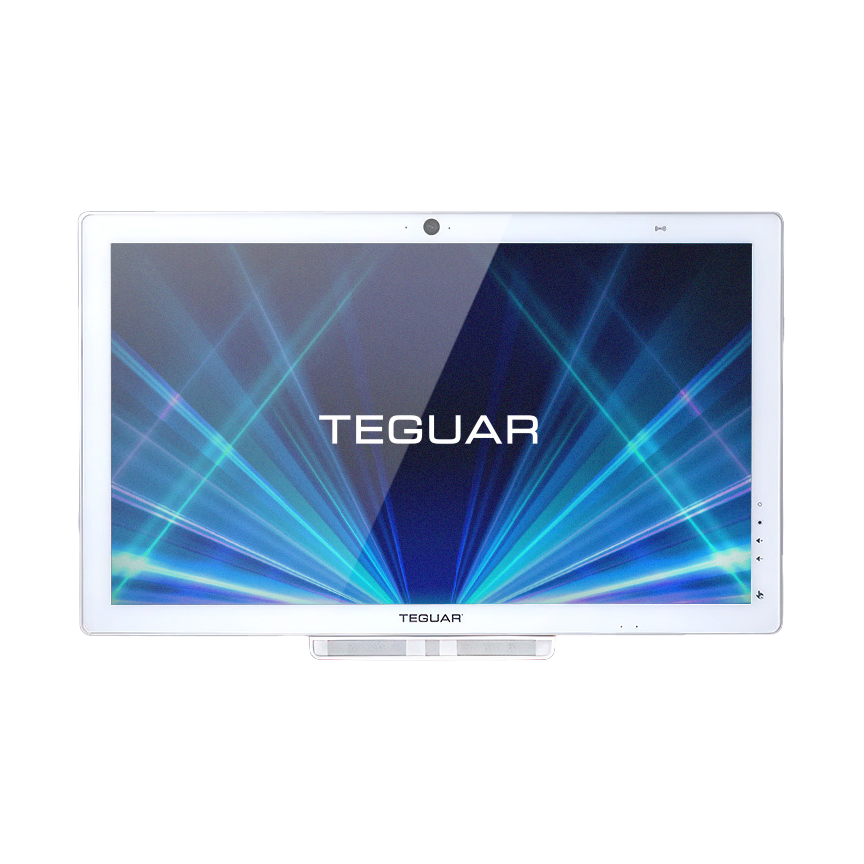
Hardware Platform: Clarion TM-7200-24 Medical AIO PC
Deploying AI models or interactive full-stack dashboards in hospital wards requires specialized hardware. The Clarion TM-7200-24 Medical AIO PC offers:
- UL/EN 60601-1 Medical Certification: Certified electrical safety and EMC compliance for patient-adjacent use.
- Fanless & Sealed Enclosure: Eliminates moving parts, preventing dust accumulation and enabling thorough sanitization with aggressive chemical cleaners.
- Robust Processing Power: Perfect for executing edge AI workloads, local LLM queries, or high-performance WebSockets communication.
System Architecture
The Clarion TM-7200-24 Medical AIO PC acts as the clinical terminal hosting the telehealth care dashboard:
- Python/FastAPI Backend: Streams video feeds and telemetry updates via WebSockets and WebRTC.
- React Frontend: Renders low-latency patient grids, active chat widgets, and patient vitals trends.
- Medical Peripheral Integration: Integrates directly with USB otoscopes and electronic stethoscopes to feed live diagnostic data to remote specialists.
Step-by-Step Implementation
Here is the Python WebSockets endpoint that handles real-time vitals broadcasting:
from fastapi import FastAPI, WebSocket, WebSocketDisconnect
from typing import List

app = FastAPI()

class ConnectionManager:
    def __init__(self):
        self.active_connections: List[WebSocket] = []

    async def connect(self, websocket: WebSocket):
        await websocket.accept()
        self.active_connections.append(websocket)

    def disconnect(self, websocket: WebSocket):
        self.active_connections.remove(websocket)

    async def broadcast(self, message: str):
        for connection in self.active_connections:
            await connection.send_text(message)

manager = ConnectionManager()

@app.websocket("/ws/vitals/{patient_id}")
async def websocket_endpoint(websocket: WebSocket, patient_id: str):
    await manager.connect(websocket)
    try:
        while True:
            data = await websocket.receive_text()
            # Broadcast telemetry to all connected clinical dashboard screens
            await manager.broadcast(f"Patient {patient_id}: {data}")
    except WebSocketDisconnect:
        manager.disconnect(websocket)
Conclusion & Deployment Best Practices
When deploying this system into active clinical workflows:
- Network Redundancy: Ensure fallback to offline local models or stored states if hospital Wi-Fi drops.
- HIPAA & Security Compliance: Encrypt all data in transit (TLS 1.3) and at rest (TPM 2.0 / BitLocker).
- Sterilization Cycles: Schedule automated screen-lock times for cleaning crews to sanitize the Clarion TM-7200-24 Medical AIO PC without registering accidental touch input.
*To configure a customized build of the Clarion TM-7200-24 Medical AIO PC for your facility, contact a Teguar product specialist.*