Blog
How to Build: Context-Aware EHR Querying using RAG on Edge hardware using TMB-7115 Medical AI Computer
Teguar Engineering Team · October 26, 2025
An engineering guide showing how to implement context-aware ehr querying using rag on edge hardware on Teguar's purpose-built TMB-7115 Medical AI Computer with rag & llms.
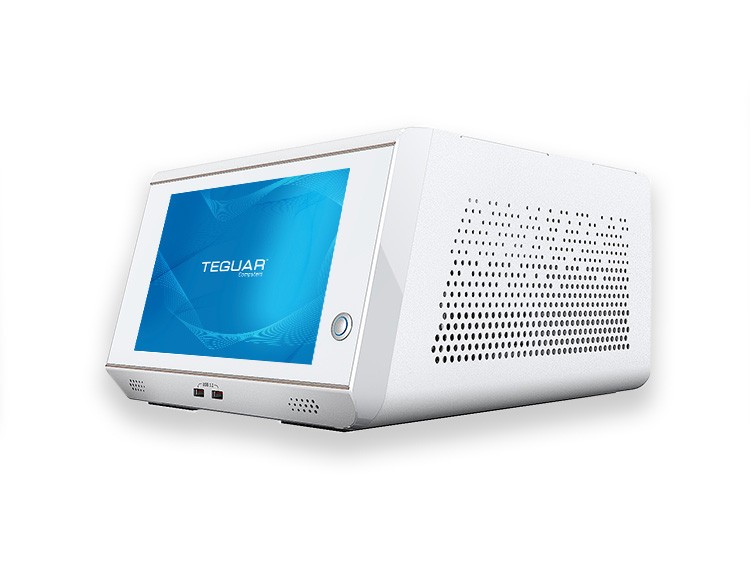
Electronic Health Record (EHR) databases contain unstructured patient clinical notes, laboratory histories, and radiology reports. Finding specific historical clinical data when querying these databases is difficult using legacy search. By implementing a local Retrieval-Augmented Generation (RAG) pipeline, clinicians can search patient records using conversational queries, receiving precise answers derived directly from patient data.
This guide walks you through building an edge-based, context-aware EHR query engine on Teguar's high-performance TMB-7115 Medical AI Computer.
Hardware Choice: Teguar TMB-7115 Medical AI Computer
Edge AI RAG processing demands heavy computational power to quickly embed files and generate text responses.
- Dedicated AI Accelerator Support: The TMB-7115 medical box computer supports powerful processing configurations and discrete GPU scaling, making it perfect for hosting AI inference tasks.
- Extensive Connectivity: Multiple USB ports and dual LAN ports facilitate easy networking with local clinical databases.
- Medical Certification: It is certified with UL/EN 60601-1 standards for operation in medical environments.
Edge-Based EHR Query Workflow
+---------------------------------------------------------------------------------+
|                       TMB-7115 Medical AI Computer                              |
|                                                                                 |
|  +--------------------+                                                         |
|  | EHR Data Ingest    |                                                         |
|  | (HL7/FHIR Streams) |                                                         |
|  +---------+----------+                                                         |
|            |                                                                    |
|            v                                                                    |
|  +--------------------+      +--------------------+     +--------------------+  |
|  | Local Embeddings   | ---> | Persistent Vector  |     | Doctor Query       |  |
|  | (Sentence-Transformers)   | Database (Chroma)  |     | "Show blood panels"|  |
|  +--------------------+      +---------+----------+     +---------+----------+  |
|                                        |                          |             |
|                                        v                          v             |
|                              +------------------------------------+----------+  |
|                              | Context Assembly & Local LLM Inference        |  |
|                              | (Llama-3-8B GGUF Model)                       |  |
|                              +-----------------+-----------------------------+  |
|                                                |                                |
|                                                v                                |
|                              +-----------------+-----------------------------+  |
|                              | Structured Clinical Response Output           |  |
|                              +-----------------------------------------------+  |
+---------------------------------------------------------------------------------+
Software Implementation
Step 1: Dependencies Installation
pip install llama-cpp-python chromadb langchain sentence-transformers FHIRStep 2: Local FHIR Record Parsing and Embeddings Ingestion
We parse unstructured clinical notes from patients and upload them to Chroma DB.
from sentence_transformers import SentenceTransformer
import chromadb

# Initialize Local Vector Database
db_client = chromadb.PersistentClient(path="./ehr_vectors")
collection = db_client.get_or_create_collection("ehr_records")

embedder = SentenceTransformer("all-MiniLM-L6-v2")

def ingest_ehr_record(patient_id, record_id, clinical_text):
    vector = embedder.encode(clinical_text).tolist()
    collection.add(
        embeddings=[vector],
        documents=[clinical_text],
        metadatas=[{"patient_id": patient_id, "record_id": record_id}],
        ids=[record_id]
    )
Step 3: Context Retrieval and Edge Inference
We retrieve context matching the query and feed it to the local quantized model.
from llama_cpp import Llama

# Load optimized local LLM
local_llm = Llama(
    model_path="models/llama-3-8b-instruct.Q4_K_M.gguf",
    n_ctx=4096,  # High context for comprehensive patient records
    n_threads=6  # Optimized for multi-core TMB-7115 processors
)

def query_patient_ehr(patient_id, query_str):
    # Retrieve context
    query_vector = embedder.encode(query_str).tolist()
    results = collection.query(
        query_embeddings=[query_vector],
        n_results=5,
        where={"patient_id": patient_id}
    )
    retrieved_notes = "\n---\n".join(results['documents'][0])

    # Prompt Construction
    prompt = f"""<|system|>
You are a secure hospital AI system. Query the patient EHR records using the retrieved text. Rely only on the text.
Retrieved EHR Clinical Notes:
{retrieved_notes}
<|user|>
Question: {query_str}
<|assistant|>"""

    response = local_llm(prompt, max_tokens=300, temperature=0.0)
    return response["choices"][0]["text"]
Step 4: Verification
# Ingest mock EHR clinical notes
ingest_ehr_record("pat_998", "rec_01", "2026-06-15: Patient reports recurring migraines. Blood panel checks normal.")
ingest_ehr_record("pat_998", "rec_02", "2026-07-01: Administered 50mg Sumatriptan. Patient reports symptoms improved.")

# Query the local assistant
clinical_summary = query_patient_ehr("pat_998", "What treatments were administered for migraines?")
print(clinical_summary)
Security Best Practices for HIPAA Compliance
- Data Persistence: Ensure the
ehr_vectorsdatabase is stored on an encrypted partition (e.g., dm-crypt/LUKS) on the TMB-7115's local storage. - Network Isolation: Run the server inside a secure offline environment (intranet), isolated from external web queries.
Conclusion
Building a RAG query architecture on Teguar's TMB-7115 Medical AI Box PC enables fast, localized patient health history searches with minimal query latency and maximum data security.