Blog
How to Build: Computer Vision-Based Medication Pill Verification at Nurse Stations using Prism TMT-7165-13 Medical Healthcare Tablet
Teguar Engineering Team · January 1, 2026
An engineering guide showing how to implement computer vision-based medication pill verification at nurse stations on Teguar's purpose-built Prism TMT-7165-13 Medical Healthcare Tablet with computer vision & model training.
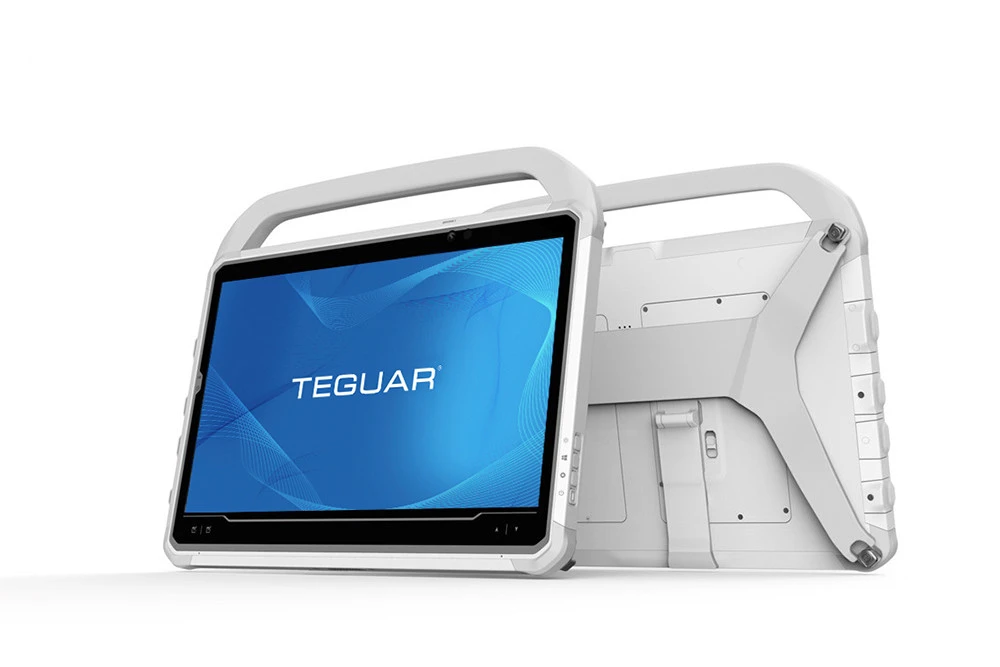
Medication errors during patient dispensing represent a significant risk in hospital wards. Incorporating real-time pill identification scanners at nurse stations provides a final check to confirm that pill shape, color, and quantity match prescriptions before dispensing.
This guide outlines how to build a Medication Pill Verification system running locally on the Prism TMT-7165-13 Medical Healthcare Tablet.
Hardware Choice: Teguar Prism TMT-7165-13 Healthcare Tablet
Bedside clinical operations require mobile devices with built-in cameras and responsive compute power.
- Mobility: The Prism TMT-7165-13 tablet is lightweight, allowing nurses to verify medications anywhere in the ward.
- Integrated Cameras: Built-in front and rear cameras enable quick image capture of medicine trays.
- Clinical Durability: Sealed design protects the tablet during chemical sanitation.
Pill Verification Pipeline
+---------------------------------------------------------------------------------+
|                    Prism TMT-7165-13 Medical Healthcare Tablet                  |
|                                                                                 |
|  +--------------------+      +--------------------+     +--------------------+  |
|  | Medication Tray    | ---> | Color/Shape        | --> | YOLOv8 Classifier  |  |
|  | Image Capture      |      | Preprocessing      |     | (Local inference)  |  |
|  +--------------------+      +--------------------+     +---------+----------+  |
|                                                                   |             |
|                                                                   v             |
|                                                         +---------+----------+  |
|                                                         | Prescription Check  |  |
|                                                         | (EHR Database match)|  |
|                                                         +---------+----------+  |
|                                                                   |             |
|                                                                   v             |
|                                                         +---------+----------+  |
|                                                         | Dispense Approval   |  |
|                                                         | on Tablet Screen    |  |
|                                                         +--------------------+  |
+---------------------------------------------------------------------------------+
Code Walkthrough
Step 1: Install OpenCV and Ultralytics
pip install opencv-python-headless ultralyticsStep 2: Pill Object Detection & Feature Verification
We capture tray images and run classification inference on each detected pill.
import cv2
from ultralytics import YOLO

# Load specialized model trained to classify pills by shape, color, and markings
pill_detector = YOLO("models/pill_identifier_yolov8.pt")

def verify_pills_in_tray(image_path, expected_meds):
    image = cv2.imread(image_path)
    results = pill_detector(image, conf=0.5, verbose=False)[0]

    class_names = pill_detector.names
    detected_counts = {}

    for box in results.boxes:
        cls_id = int(box.cls[0])
        cls_name = class_names[cls_id]

        # Accumulate detected count
        detected_counts[cls_name] = detected_counts.get(cls_name, 0) + 1

        # Draw bounding boxes on screen
        xyxy = box.xyxy[0].cpu().numpy().astype(int)
        cv2.rectangle(image, (xyxy[0], xyxy[1]), (xyxy[2], xyxy[3]), (0, 255, 0), 2)
        cv2.putText(image, cls_name, (xyxy[0], xyxy[1] - 5),
                    cv2.FONT_HERSHEY_SIMPLEX, 0.4, (0, 255, 0), 1)

    # Reconcile with expected prescription meds
    verification_passed = True
    errors = []

    for med, expected_qty in expected_meds.items():
        detected_qty = detected_counts.get(med, 0)
        if detected_qty != expected_qty:
            verification_passed = False
            errors.append(f"Mismatched quantity for {med}. Expected: {expected_qty}, Detected: {detected_qty}")

    # Check for unexpected medications
    for med, detected_qty in detected_counts.items():
        if med not in expected_meds:
            verification_passed = False
            errors.append(f"Unexpected medication detected: {med}")

    return verification_passed, errors, image
Step 3: Verifying Medication Trays
prescription = {
    "aspirin_81mg_white_round": 1,
    "atorvastatin_20mg_yellow_oval": 1
}

passed, log_errors, annotated_img = verify_pills_in_tray("sample_tray.jpg", prescription)

if not passed:
    print("ALERT: Verification Failed!")
    for err in log_errors:
        print(f"- {err}")
else:
    print("Verification Passed. Safe to dispense.")
Operational Guidelines
- Failsafe Interface: Design the user interface with distinct green and red banners to ensure warning alerts are immediately noticeable to nurses.
- Edge Execution: Convert models to TensorRT or ONNX formats to maintain fast, sub-second latency on edge tablets.
Conclusion
Implementing pill verification on the Teguar Prism TMT-7165-13 Mobile Tablet adds a critical safety barrier at nurse stations, minimizing dispensing mistakes and improving patient care.